Mini v1/Classic (GreenShield) – Motor Power Disable
OpenScan Composer will automatically disable the turntable and rotor motors when they are not in use when using the Mini v2 (BlackShield). Disabling the motors uses less power and generates less heat when the device is not actively scanning. The following modification to the GreenShield will enable this functionality for the Mini v1/Classic (GreenShield).
WARNING: Performing these modifications incorrectly will destroy your device! Proceed at your own risk! This mod does not work with the original OpenScan firmware!
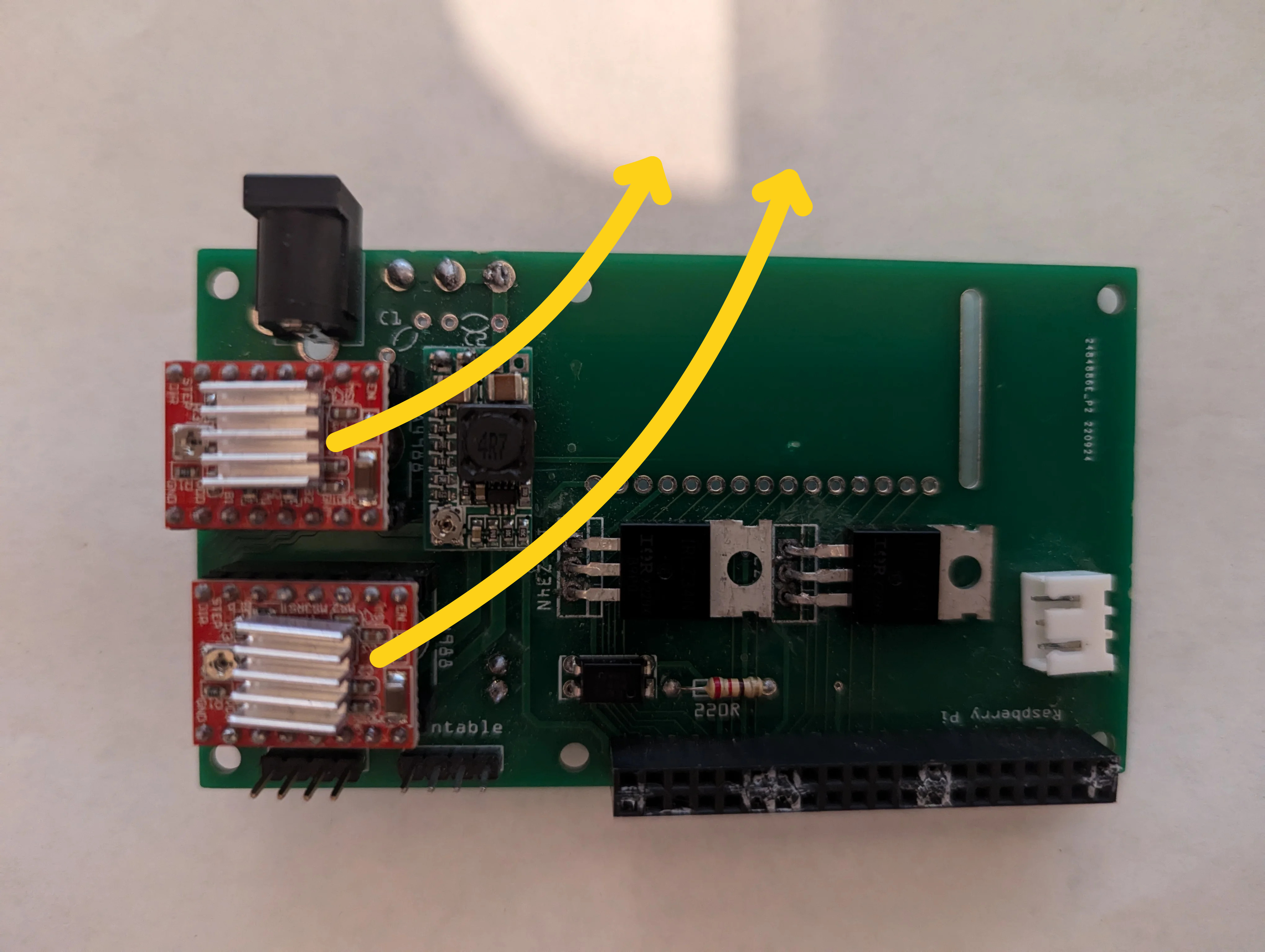
- Remove the stepper motor drivers from their sockets.
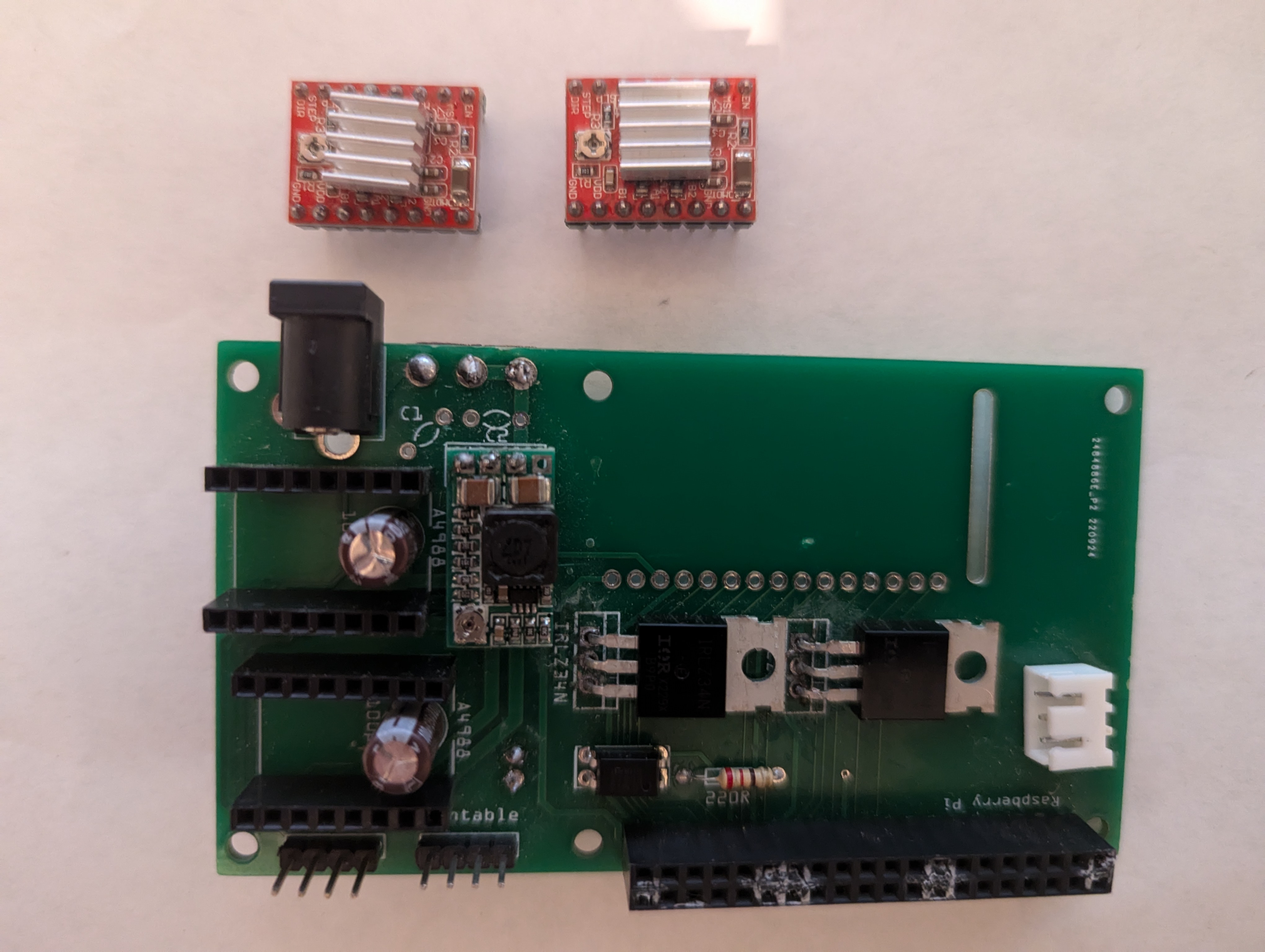
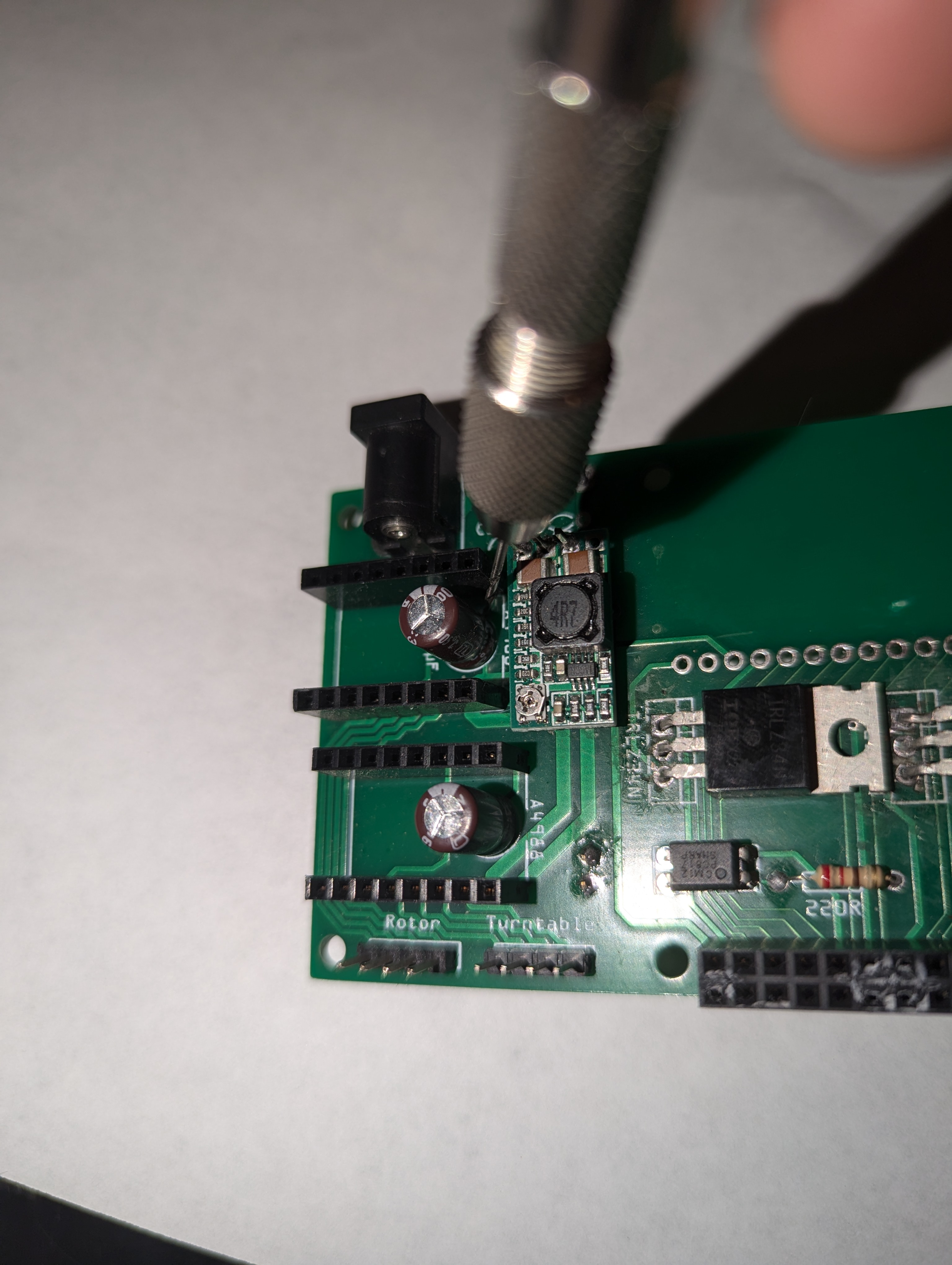
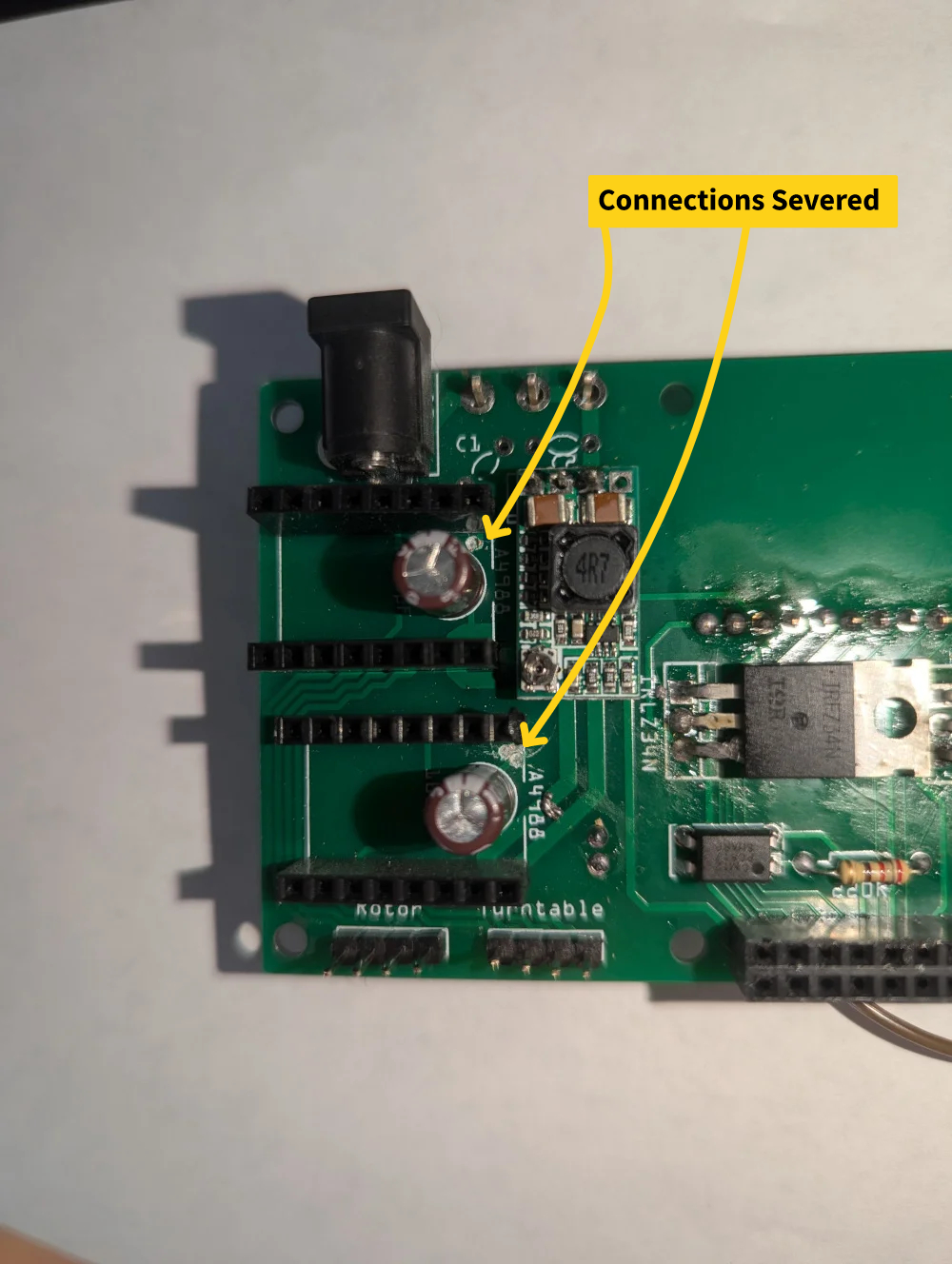
2. Using a small hand drill or an Xacto knife, sever the two connections which connect the motor driver ENABLE pins and GND, being careful not to damage the surrounding components.

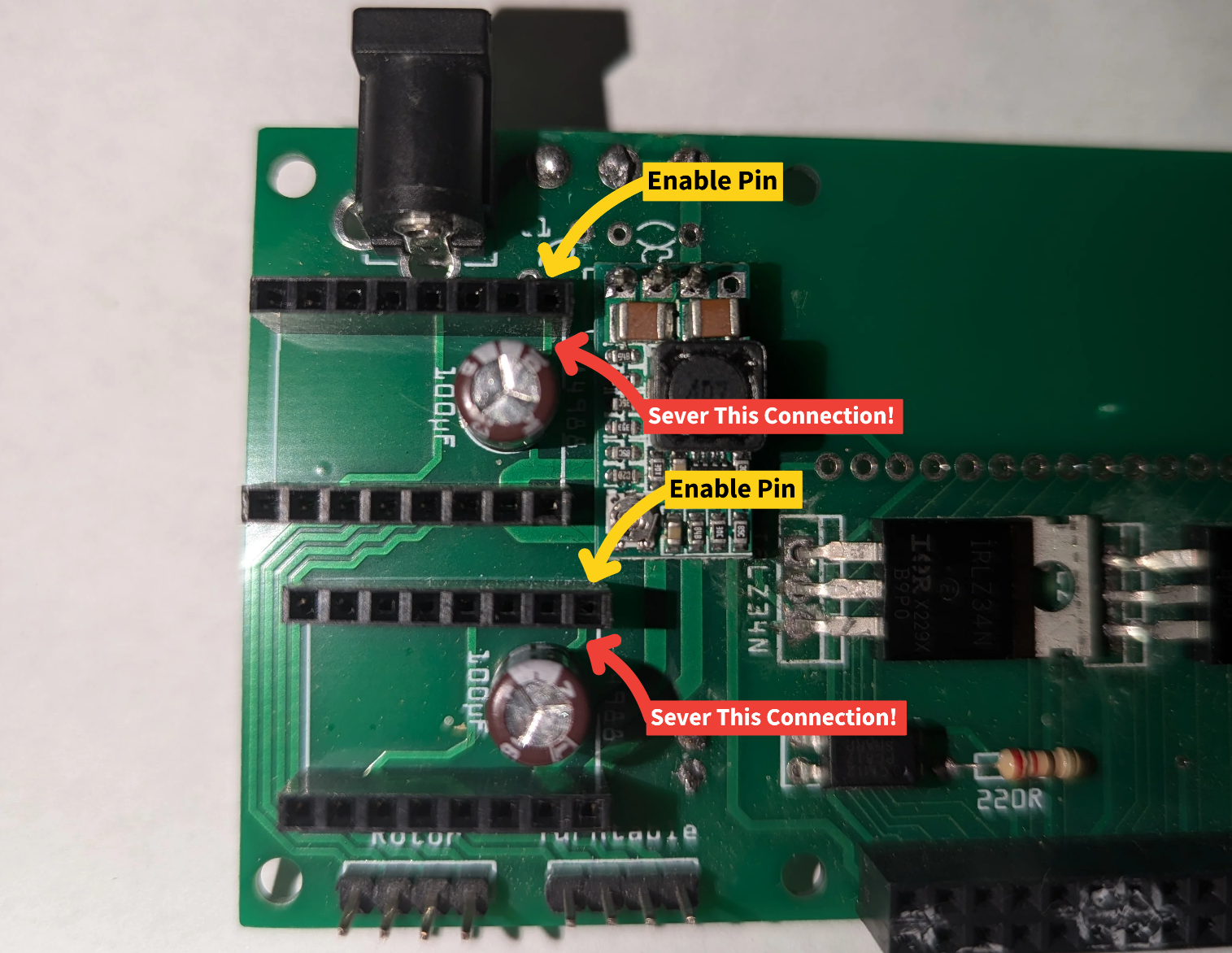
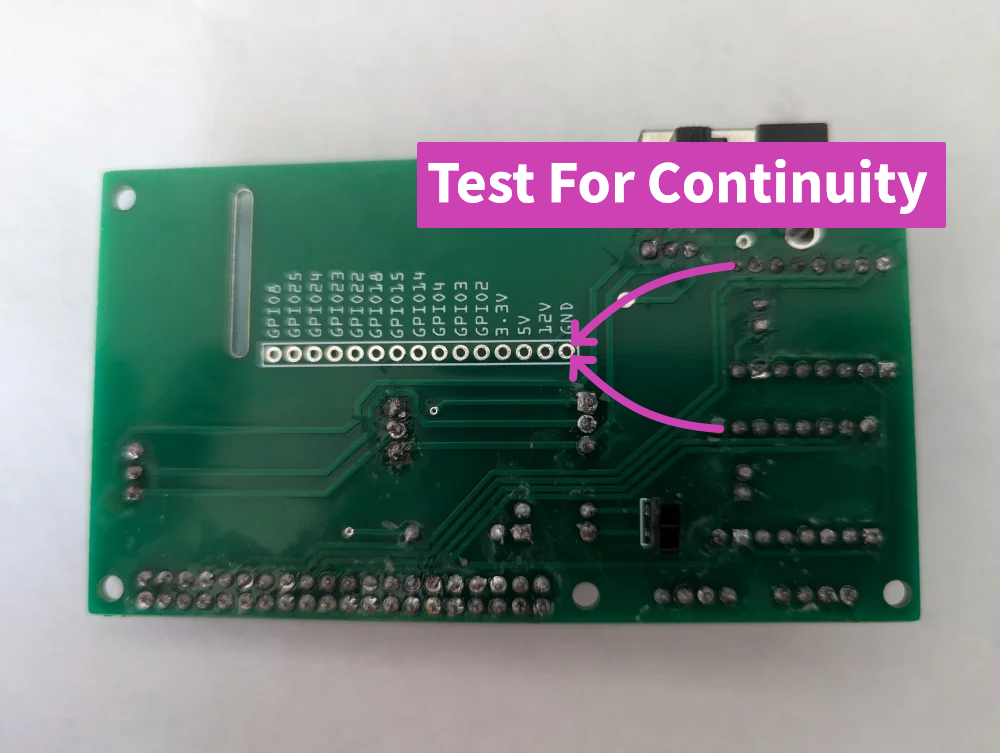
3. Using a continuity tester, check that the ENABLE pins are no longer connected to the GND terminal.
WARNING: DO NOT PROCEED BEYOND THIS STEP UNTIL YOU ARE SURE THAT THE ENABLE PINS HAVE NO CONTINUITY TO GND. DOING SO WILL DESTROY YOUR DEVICE!!!
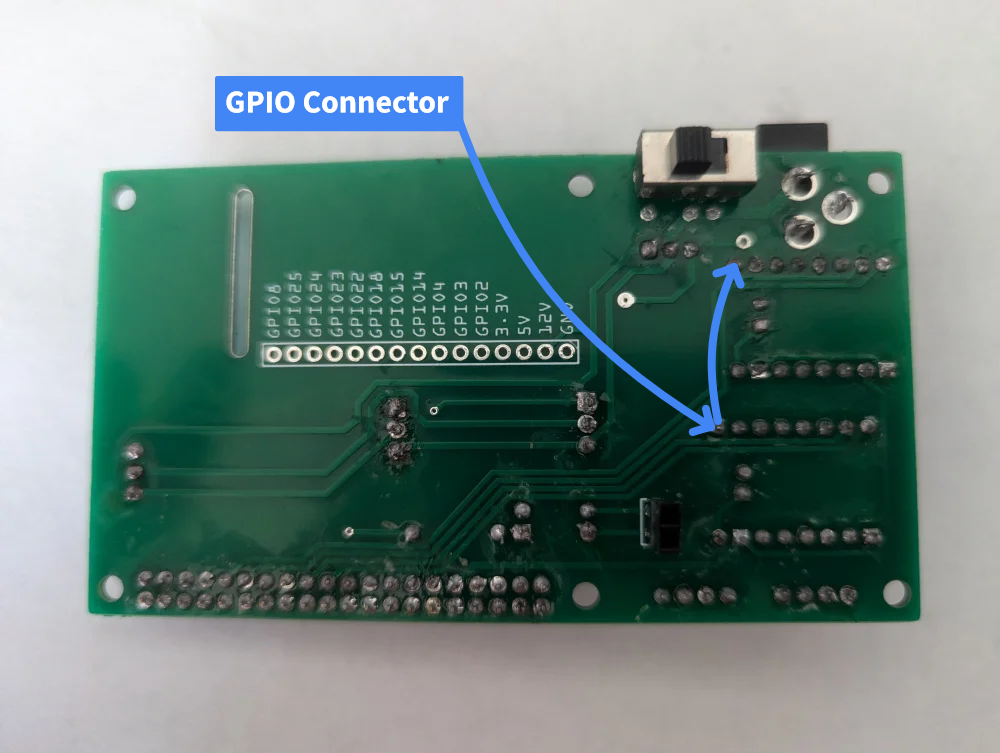
4. On the reverse side of the board, solder a wire to join the enable pins of the two drivers, and then solder a wire to either of the enable pins with an appropriate GPIO connector.
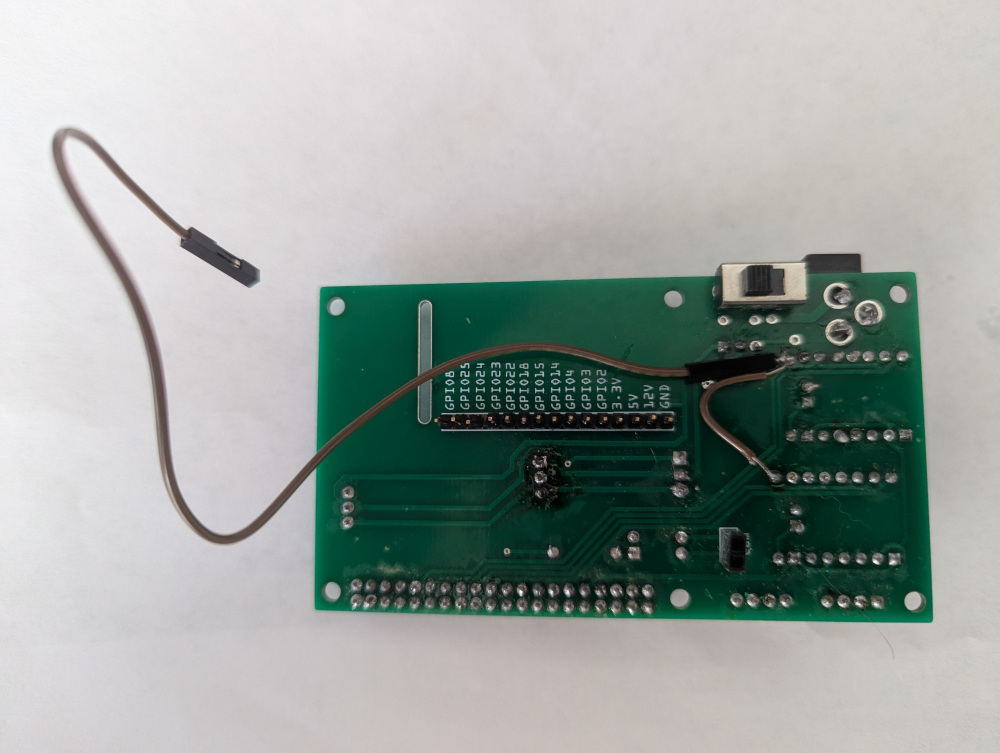
5. Replace the stepper motor drivers being careful to ensure they are correctly oriented.
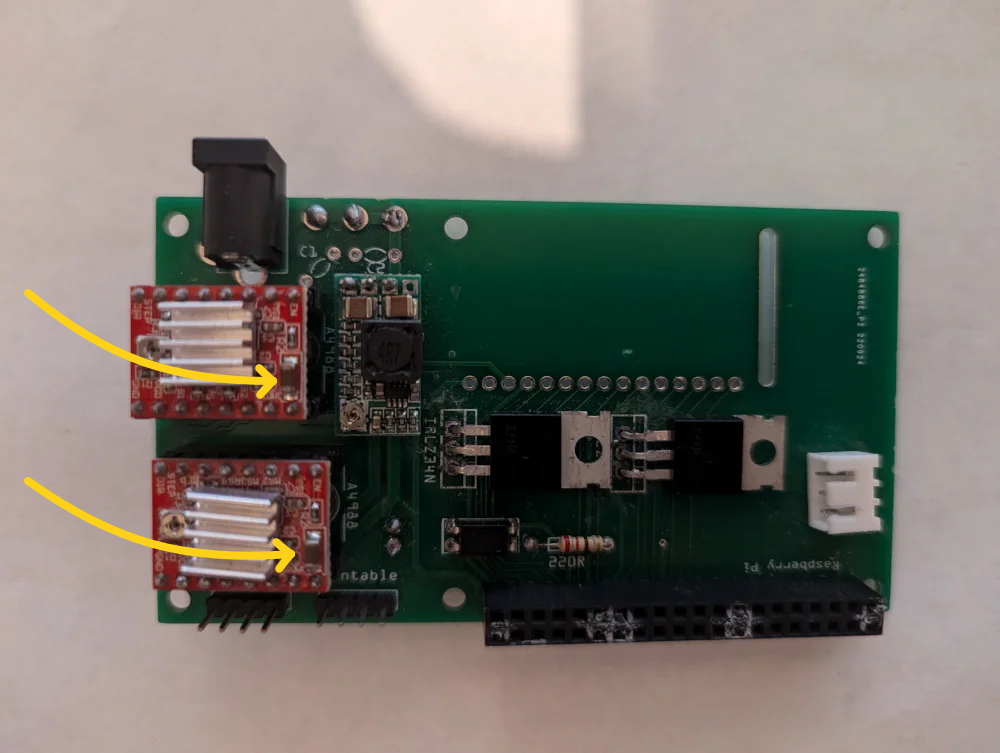
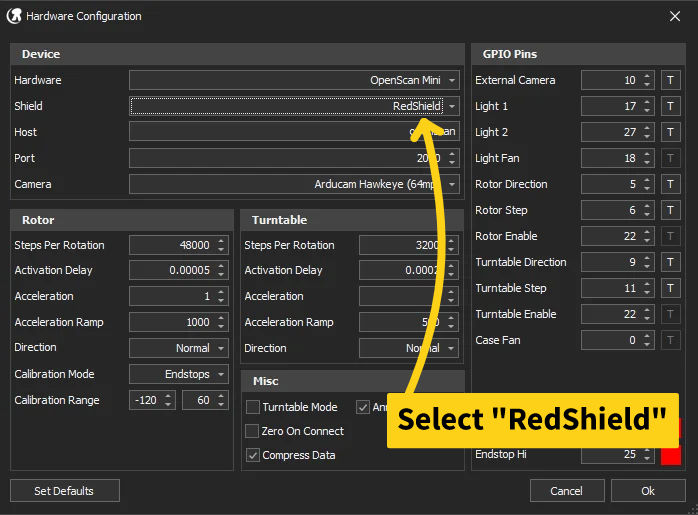
7. To enable this mod in OpenScan Composer attach the connector to GPIO pin 22, open the hardware configuration dialog, and change your Shield Type to “RedShield”.